
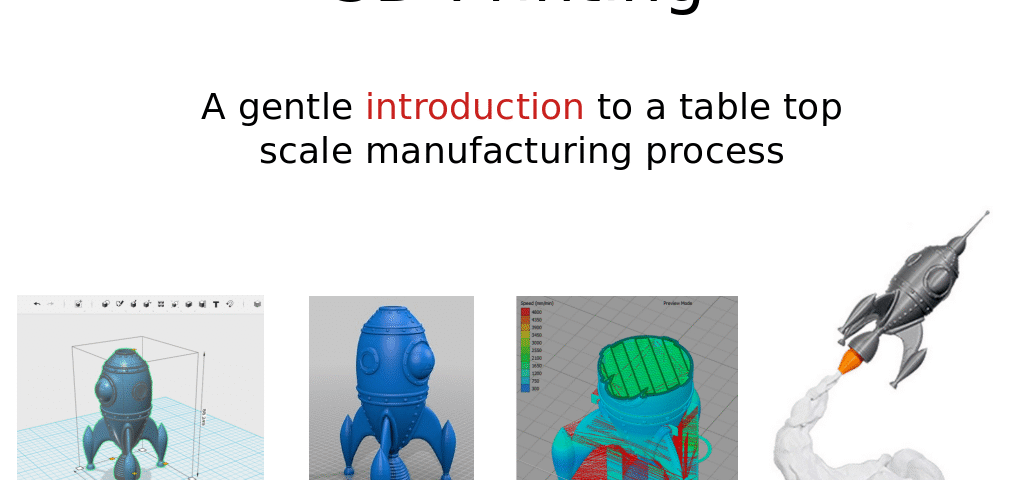
This month, David Price will be gently taking us through an introduction to a table top scale manufacturing process.
As usual, plenty of time is reserved for discussions.
Joining details will be emailed to subscribers nearer the time. If you aren’t a member, it’s free to join here https://u3acommunities.org/subscribe-to-computing-forum/.
21st October @ 3:00 pm – 5:00 pm
The recording was :
3DP references
3D Printing is inherently complicate despite improvements in quality and usability. There are multiple skills involved in producing good results consistently. So don’t try to tackle a complicated project at the beginning, instead start small and simple to learn the skills and become familiar with machine usage, maintenance, and foibles.
Note: Filament is not the only consumable, many parts will need cleaning, maintenance, and replacement depending on construction quality.
Note: You will inevitably get blockages in your 3D printer, look at the manufacturers documentation/forums/online manuals to see the extent and quality of their troubleshooting and maintenance guides. Are their guides for blockage clearance easy to understand and comprehensive.
Best starting point is to find online forums covering your area of interest and search for 3D printing related entries, see what printers and software people are using for the kind of projects you want to explore, what problems and solutions they are encountering.
Browse big brand forums for getting started info, e.g.
- Creality – https://forum.creality.com/?gad_campaignid=20365939172
- Bambu – https://forum.bambulab.com/
A good list of 3DP resources;
YouTube review & how-to’s
With the recent major improvements in machine quality and usability there has been an explosion of “influencers” but generally they do not have the depth of knowledge or experience and are usually shilling for free stuff.
Find channels covering your area of interest so you can guage their general quality first and stick with the big brands who have a lot to lose if they screw up until you are confident in assessing machine capabilities and quality.
For general 3DP I would start with;
- Teaching Tech – https://www.youtube.com/@TeachingTech
- Made with Layers – https://www.youtube.com/@MadeWithLayers
- The Next Layer – https://www.youtube.com/@thenextlayer
- 3D Printing Nerd – https://www.youtube.com/@3DPrintingNerd
- CNC Kitchen – https://www.youtube.com/@CNCKitchen
- Makers Muse – https://www.youtube.com/@MakersMuse
- CHEP – https://www.youtube.com/@FilamentFriday
Object sources
- Ideas – https://all3dp.com/1/useful-cool-things-3d-print-ideas-3d-printer-projects-stuff/
- Thingiverse – https://www.thingiverse.com/
- Printables – https://www.printables.com/
- Cults3D – https://cults3d.com/en
- Thangs – https://thangs.com/
- MyMiniFactory – https://www.myminifactory.com/
- MakerWorld (Bambu) – https://makerworld.com/en
- NASA – https://science.nasa.gov/3d-resources/
- Gamebody ($$) – https://www.gambody.com/
- NIH – https://3d.nih.gov/
CAD
- Tinkercad – https://www.tinkercad.com/
- Fusion 360 – https://www.autodesk.com/products/fusion-360/personal
- Onshape – https://www.onshape.com/en/products/free
- FreeCad – https://www.freecad.org/
- OpenSCAD – https://openscad.org/
- Blender – https://www.blender.org
Slicers
- Bambu Studio – https://bambulab.com/en/download/studio – Slicer specific to Bambu Printers.
- Creality Print – https://www.creality.com/download#flagship-series
- PrusaSlicer – https://www.prusa3d.com/page/prusaslicer_424/ – Slicer specific to Prusa Printers.
- Cura – https://ultimaker.com/software/ultimaker-cura/ – Open source 3D printer / slicing GUI by Ultimaker.
- OrcaSlicer – https://github.com/SoftFever/OrcaSlicer – Slicer forked from PrusaSlicer and BambuStudio.
Machine control
- OctoPrint – https://octoprint.org/
- Klipper – https://github.com/Klipper3d/klipper
- Marlin – https://github.com/MarlinFirmware/Marlin